
How to Record a Podcast Remotely Without Losing Quality
Podcast production has changed fast. What used to feel like a compromise or cost-saver (remote recording) is now just how the industry operates. Podcast listening and creation are both at all-time highs, and the lines between audio and video content are blurring as audiences consume shows in more ways than ever.
According to Edison Research’s The Infinite Dial® 2025, 55% of Americans tune into podcasts every month. This shows how mainstream the format has become.
But recording remotely still creates real challenges. Many podcasters struggle with poor audio quality, internet lag, background noise, or guests using the wrong setup. Without the right system, remote episodes can quickly sound unprofessional.
At Content Allies, we’ve helped B2B brands produce hundreds of remote podcast episodes. And when done right, remote recording means greater scale, lower cost, and access to a global roster of guests without sacrificing sound quality.
In this guide, we’ll break down:
Key benefits of recording podcasts remotely
Most common challenges remote podcasters face
Essential equipment needed for high-quality recording
How to set up a remote podcast studio at home
Best tools and software for remote podcast recording
Pro-level techniques to maintain studio-quality audio remotely
By the end, you’ll know how to record a podcast that sounds studio-quality, even when your team isn’t in the same room.
Benefits of Recording a Podcast Remotely
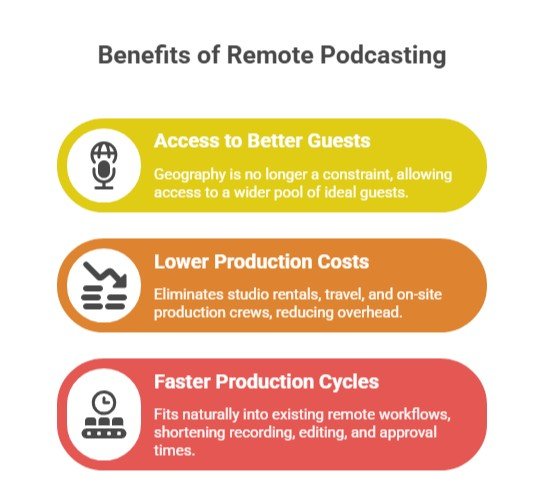
Remote podcasting is about more than just convenience. For professional shows and B2B brands, it unlocks better guests, lower costs, and faster production cycles.
1. Access to Better Guests
When you remove the need for physical studio access, geography stops being a constraint. This matters because remote work is now firmly part of the mainstream since COVID-19.
Your ideal guests are already comfortable collaborating virtually. Remote interviews, remote video, and Voice Over Internet Protocol (VoIP) calls are part of their normal workflow. This makes scheduling easier and participation friction lower.
You’re no longer restricted to guests who can easily reach your studio, so your pool of potential people is much bigger.
2. Lower Production Costs
Studio rentals, travel, and on-site production crews add up quickly. Remote recording eliminates most of that overhead and makes podcast production far more flexible.
The same cost dynamic appears across remote work in general. Research from Global Workplace Analytics estimates employers save more than $11,000 per year for every employee who works remotely half of the time, largely due to reduced real estate and operational expenses.
Podcast production follows a similar pattern. When teams record remotely, they avoid studio bookings, travel costs, and physical production setups.
From what we have seen working with podcast teams, remote infrastructure reduces fixed costs significantly. Instead of paying for physical space, you can invest in better recording software, higher-quality microphones, post-production tools, and AI editing platforms.
If you want a quick visual breakdown of how remote podcasting compares to in-person setups, this video gives a practical overview:
3. Faster Production Cycles
Distributed teams are now standard across industries, and most companies have a framework for this kind of work.
When your marketing and production teams already operate remotely, remote podcasting fits naturally into existing post-production workflows. Files move easily through cloud storage platforms such as Google Drive, and editors can work directly inside digital audio workstations without waiting for studio transfers.
We have obsered that this significantly shortens production timelines. Recording, editing, and approvals can happen faster because everyone already works inside the same digital environment.
For companies building thought leadership at scale, remote recording is a powerful route to growth.
The Challenges of Remote Podcast Recording
Remember that remote recording is powerful, but it’s not frictionless. If you want high-quality audio and professional results, you have to account for the risks that come with remote podcasting.
1. Inconsistent Audio Quality
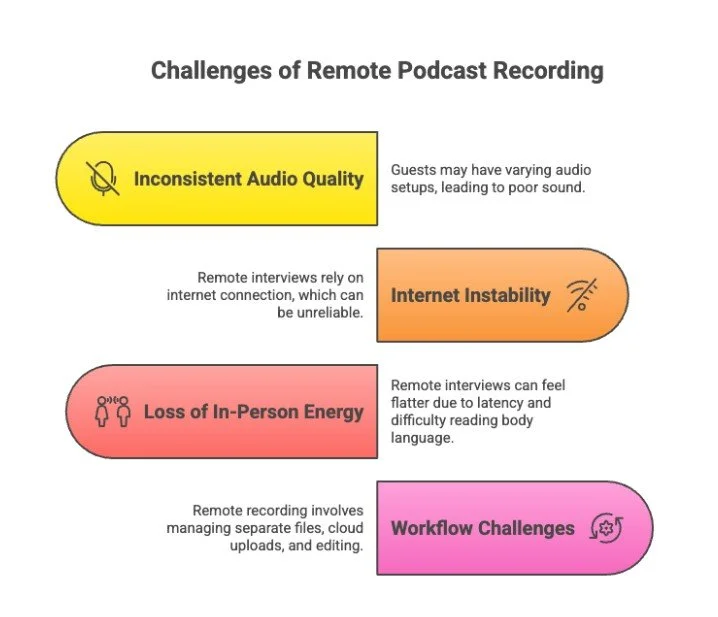
Not every guest has a studio setup. Some are using Apple earbuds. Others are sitting in echo-heavy rooms with background noise, unstable Wi-Fi, or poor mic placement. This inconsistency can wreck sound quality fast.
Today’s audiences expect polished digital experiences. Poor audio fidelity, distracting background noise, or audio sync problems make you sound unprofessional and drive listeners away.
If your remote recording platform, recording software, or guest setup isn’t dialed in, your audience will notice.
2. Internet Instability
Remote interviews depend entirely on internet connection quality. And that’s not something you can fully control.
This can be a challenge if your guests are located around the world. According to the World Bank, global internet penetration sits at roughly 74% of the world’s population. This means connectivity access and reliability vary widely by region.
Even in well-connected regions, bandwidth fluctuations can cause dropouts, compression artifacts, or VoIP distortions during remote video and audio recordings. Without local recording or double-ender recording, this instability directly affects your final audio file.
3. Loss of In-Person Energy
There’s also a human factor. Remote interviews change conversational rhythm. Slight latency delays interrupt the natural back-and-forth. It’s also harder to read body language on remote video, particularly in group conversations.
The result is that conversations can feel flatter if the host isn’t skilled at managing pacing and energy remotely.
Check out our guide on podcast host training to learn more about these issues and how to fix them.
4. Workflow Challenges
Finally, remote podcasting comes with operational challenges. You’re dealing with:
Separate WAV files
Cloud uploads (Google Drive, Progressive Uploads, etc.)
Backup recordings
Audio editing tools and post-production workflows
Version control and file confirmation
Without clear systems, it’s easy for something to slip, like a corrupted audio file, a missing guest track, or misaligned audio sync.
Remote recording works, but only when it’s managed like a professional production system. A Zoom call with a mic plugged in isn’t enough here.
Remote Podcast Recording Equipment You Actually Need
If you want crystal clear, high-quality audio in a remote recording setup, you’re going to need high-quality equipment.
In our experience working with podcast teams, this is where many setups fall apart. Teams spend time choosing software or editing tools, but overlook the importance of strong source audio.
No recording platform or AI editing tool can repair weak input audio. Once the recording quality is poor, post-production options become very limited. That is why professional remote podcasting always begins with the microphone.
Microphone (Non-Negotiable)
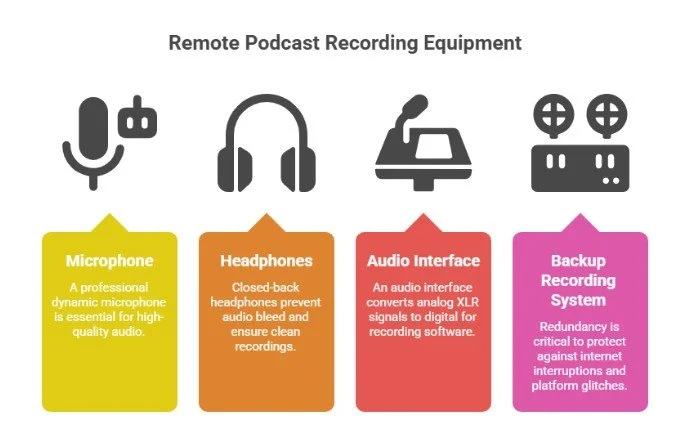
A professional dynamic microphone will outperform a laptop mic every time. Built-in mics pick up background noise, room echo, keyboard clicks, and HVAC hum. A dedicated mic dramatically improves audio fidelity and gives you a cleaner audio file for post-production.
And this matters more than ever. According to Deloitte’s Digital Media Trends, consumers are competing across an average of six hours of daily media and entertainment time per person.
When audiences are consuming that much digital content, expectations around production quality are going to be high. If your sound quality isn’t strong, listeners will simply move on.
Strong microphone options for remote recording are:
Shure SM7B (broadcast industry standard)
Shure MV7 (USB/XLR hybrid flexibility)
Rode PodMic (budget-friendly and durable)
Electro-Voice RE20 (classic radio mic)
In our daily production work, we usually recommend dynamic microphones for remote setups because they handle untreated rooms much better. They reject room noise more effectively than most condenser microphones. This helps maintain clean audio even when guests record from home offices or temporary setups.
Headphones (Closed-Back Only)
Always use closed-back headphones. Never rely on speakers during remote interviews.
Speaker bleed creates echo and audio sync problems, especially in remote video or group conversations. Even a minor bleed can complicate audio editing later.
This is a mistake many new podcast hosts make. They assume the laptop speakers are fine, but the recording quickly becomes messy once multiple speakers join the conversation.
Closed-back headphones isolate the audio and keep your recording clean.
Audio Interface (If Using XLR)
If you’re using an XLR mic, you’ll need an interface to convert analog sound into digital input for your recording software.
We usually recommend reliable interfaces that are simple to configure. Reliable options include:
Focusrite Scarlett 2i2
Rode AI-1
A good interface gives you better gain control and cleaner, lossless audio capture. This is becomes important when exporting WAV files for professional audio editing tools or post-production software.
Best Tools and Software for Remote Podcast Recording
Your tools matter just as much as your microphone. The right remote recording platform and post-production software determine whether you capture high-quality audio or end up repairing compressed, glitchy files.
Audio quality matters because podcast consumption continues to grow. At the same time, many podcasts now include video. Platforms such as YouTube, Spotify video podcasts, and social media clips have increased demand for tools that can handle both high-quality audio and video recording.
This is where many setups struggle. Teams try to record interviews through general meeting tools and later discover that the audio files are heavily compressed.
Dedicated Remote Recording Platforms (Recommended)
If you care about sound quality, we suggest using a purpose-built remote recording platform.
Top options include:
What makes them better than Zoom?
They use local recording, which means each participant’s audio file is recorded directly on their device in lossless audio (often WAV files), then uploaded. This avoids the compression that happens with standard Voice Over Internet Protocol (VoIP) calls.
In our daily production work, we prefer platforms that offer additional recording safeguards and editing flexibility.
Many professional platforms support:
Progressive uploads
Separate track recording
Remote video capture
Guest links (no complex setup required)
This dramatically reduces audio sync problems and preserves high-quality audio for editing.
Video-Conferencing Tools (Use With Caution)
Tools like Zoom and Google Meet can still play a role in remote podcast production. However, they work best in limited situations.
They are usually fine for:
Backup recordings
Internal conversations
Live-only events
But they capture compressed stream audio based on the internet connection quality. If someone’s bandwidth drops, your recording suffers. Use them as safety nets rather than primary recording software.
We usually recommend using them as backup options rather than primary recording tools.
Learn more about video podcast tools in our guide here.
Editing and Post-Production Software
Once you’ve captured clean audio, you’ll need professional audio editing tools.
Professional audio editing software allows you to clean up recordings, balance sound levels, and prepare the episode for distribution.
Common options include:
Modern editing tools also include AI-assisted features that simplify parts of the workflow. These may include:
AI editing
Transcription technology
Adobe Enhance
Video clip generation (e.g., Magic Clips)
Post-production AI tools
The goal with these tools is to build scalable post-production workflows that support marketing content, viral clips, video overlays, social media distribution, and deeper analytics around audience behavior.
Read Next: Top 10 Podcast Collaboration Tools for Remote Production
How to Build a Good Remote Studio (Even in a Home Office)
You don’t need a commercial studio to produce high-quality audio, but you do need to control over your environment. In remote podcasting, your room is your studio. And the room has a measurable impact on performance.
Noise is one of the biggest factors. According to the Leesman Index, only 34% of employees say they are satisfied with noise levels at work. That’s in professional office environments. Home offices and ad-hoc recording setups are usually worse.
If background noise can disrupt concentration in an office, it can easily interfere with recording clarity during a podcast session.
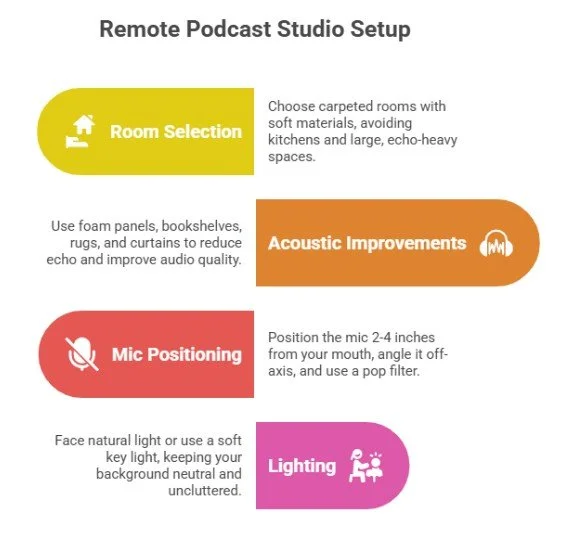
Room Selection
Your first decision is space. You need to find the right part of your home or office to record, and there are lots of potential pitfalls here.
We usually suggest avoiding spaces with hard, reflective surfaces.
Avoid:
Kitchens (due to hard reflective surfaces and appliance noise)
Large, echo-heavy rooms
Glass-heavy spaces
Bare walls and high ceilings
Choose instead:
Carpeted rooms
Smaller enclosed spaces
Rooms with soft materials (couches, curtains, bedding)
Hard surfaces reflect sound waves and cause reverb that reduces audio fidelity. Softer spaces absorb reflections and improve clarity before your remote recording platform even processes the signal.
Basic Acoustic Improvements
You don’t need a professional build-out to improve sound quality. Small adjustments in the room can make a noticeable difference.
We usually suggest starting with a few simple acoustic fixes.
Start with:
Foam panels behind and to the sides of the mic
Bookshelves (books naturally diffuse sound)
Rugs on hard floors
Curtains over windows
These simple upgrades reduce echo and help produce cleaner WAV files that require less repair in post-production software.
We have observed across remote podcast setups that basic acoustic treatment often improves audio quality more than upgrading software.
Mic Positioning
Even great recording software won’t fix poor mic placement. Proper positioning makes a major difference in clarity.
Here are some best practices:
Position the mic 2-4 inches from your mouth
Angle the microphone slightly off-axis to reduce plosive sounds
Use a pop filter to control air bursts from consonants
This preserves high-quality audio at the source.
Lighting (If Recording Video)
If you plan to record video alongside audio or create clips for social media, lighting becomes part of your setup.
Simple adjustments can help:
Face natural light or use a soft key light
Keep your background neutral and uncluttered
At Content Allies, we provide guests with a pre-recording checklist and setup guide to ensure consistency across every remote recording, because controlling the environment is what separates professional remote podcasting from a glorified phone call.
How to Maximize Audio Quality During Remote Podcast Recording
If you want high-quality audio from remote recording, your equipment matters, but your process matters more. Professional sound quality comes from disciplined workflows and built-in safeguards.
The Podcast Host’s 2023 Podcast Discovery Survey (conducted with 780+ respondents) found that less than half of listeners were happy to listen to amateur-quality audio.
The takeaway is simple: sound quality directly impacts retention.
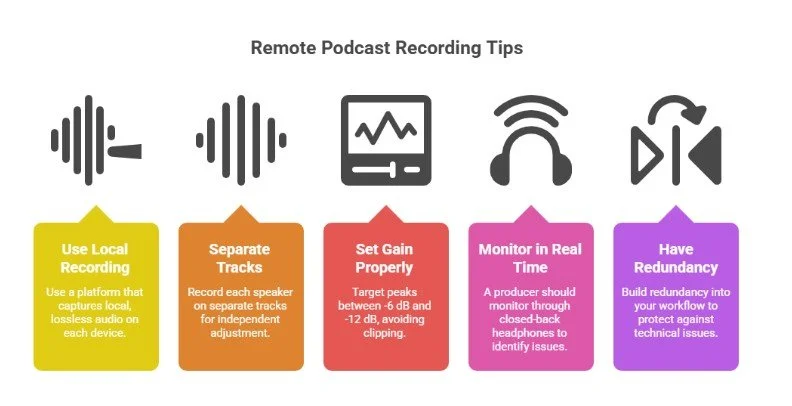
1. Use Local Recording, Always
Never rely on compressed internet audio from live VoIP streams. Standard call capture reduces audio fidelity and introduces artifacts if the internet connection fluctuates.
We suggest using a remote recording platform that captures local, lossless audio (WAV files) on each participant’s device. This preserves clarity and prevents internet instability from ruining your audio file.
2. Record Separate Tracks (Multi-Track Recording)
Always record each speaker on separate tracks.
Multi-track recording allows:
Independent gain adjustment
Cleaner background noise reduction
Easier removal of cross-talk
Fewer audio sync problems
Professional audio editing tools are designed around isolated tracks for exactly this reason.
3. Set Gain Properly
Before recording, check microphone gain levels. We mostly recommend:
Target peaks between -6 dB and -12 dB
Avoid clipping entirely
Clipping distortion can’t be fully repaired in post-production software. Proper gain staging protects dynamic range and overall sound quality.
4. Monitor in Real Time
A producer should monitor through closed-back headphones so they can identify problems quickly and correct them.
Listen for the issues such as:
Clipping
Echo
HVAC hum
Background noise
Internet compression artifacts
Fixing issues live is dramatically easier than repairing damaged audio later.
5. Always Have Redundancy
No professional remote podcasting workflow should rely on a single recording source.
Internet interruptions, platform glitches, and corrupted uploads can happen without warning. A backup system protects your episode when something goes wrong during the session.
This is where many setups fail. Teams assume the recording platform will capture everything perfectly, but unexpected technical issues are more common than most people expect.
We recommend building redundancy into your workflow. This can include
Double-ender recordings
A backup recorder running locally
Progressive uploads enabled
A secondary local audio file saved on each participant’s device
If your production is part of a broader marketing content strategy, losing an episode can become an expensive mistake.
Professional Remote Recording Checklist
Before every session, here’s what you should be doing:
Pre-recording tech check
Internet speed test
Backup recorder running
Confirm local and cloud capture
Verify that your audio file is saved before ending the session
Don’t skip these steps. This is the only way to make sure you consistently deliver high-quality audio and minimize the risk of losing your content.
When to DIY vs. When to Partner with a Production Team
Remote podcasting tools are more accessible than ever. If you’re publishing occasionally, have internal audio expertise, and the brand risk is relatively low, a DIY setup can absolutely work. With solid recording software, proper mic technique, and reliable post-production workflows, small teams can produce strong episodes.
But for B2B brands, the stakes are different. Trust is much more important here, but inconsistent audio quality, production delays, or sloppy execution can erode it quickly.
Many organizations also struggle with the broader content strategy behind their podcast. According to research from the Content Marketing Institute, 55% of B2B marketers say it is unclear within their organization what an effective or successful content marketing program looks like.
A good podcast production partner like Content Allies, can help you build your content into a purposeful content machine that brings you closer to concrete goals.
If your podcast supports marketing content, social media clips, video distribution, and broader demand generation efforts, the margin for error narrows. Partnering with a production team gives you consistent audio quality, scalable workflows, and professional execution that protects your brand.
Create High-Quality Remote Podcasts with Content Allies
Remote podcasting, when done right, is a powerful and scalable production model.
It gives you access to global guests, reduces travel and studio costs, shortens production cycles, and supports modern distributed teams. With the right remote recording platform, professional recording software, structured post-production workflows, and built-in redundancy, you can achieve studio-quality audio from anywhere.
But quality doesn’t happen by accident; it requires systems:
Standardized guest setup guidelines
Reliable double-ender recording or local capture
Clear audio editing and post-production workflows
Backup protocols
Consistent publishing cadence
At Content Allies, we’ve helped various B2B brands produce hundreds of remote podcast episodes designed to drive authority, generate marketing content, and support real pipeline growth. Explore our success stories here.
Our team supports the entire production process. This includes technical setup, guest preparation, audio editing, video clip creation, and distribution strategy.
If you want to improve the quality and consistency of your remote podcast, we would be happy to help.
Ready to level up your remote podcast? Let’s talk.
FAQs
What’s the best way to record a podcast remotely without losing audio quality?
Use a dedicated remote recording platform that captures local, lossless audio (like WAV files) on each participant’s device, and always record separate tracks for clean post-production editing.
Can you record a professional podcast remotely, or is in-person still better?
Yes, you can absolutely produce studio-quality results remotely. With a proper mic setup, local recording, and structured workflows, most listeners won’t know you weren’t in the same room.
What equipment does each guest need for remote podcast recording?
At minimum, a quality USB or XLR microphone, closed-back headphones, a stable internet connection, and a quiet, soft-surfaced room to reduce background noise.
Is Zoom good enough for recording a remote podcast?
Zoom works as a backup, but it compresses audio and depends heavily on internet stability, so it shouldn’t be your primary recording solution.
How do you prevent technical issues during a remote recording session?
Run a pre-session tech check, record locally, use backup recording, monitor in real time with headphones, and confirm files are saved before ending the session.
How does Content Allies ensure high-quality remote podcast production?
Content Allies uses standardized recording workflows, pre-recording guest checklists, local multi-track capture, and professional post-production to ensure consistent, broadcast-level quality.
Can Content Allies support companies that already have an internal podcast team?
Yes, we can plug into your existing workflow to optimize recording quality, manage editing, and scale production without disrupting your internal strategy.
Is remote podcasting scalable for enterprise B2B brands?
Absolutely. With the right systems, tools, and production processes, remote podcasting becomes a reliable, scalable thought leadership engine for enterprise growth.
Appendix
- Edison Research – The Infinite Dial 2025
- Women Podcasters – Quotes About Podcasting
- Global Workplace Analytics – Telecommuting Statistics
- World Bank – Individuals Using the Internet (% of population)
- Deloitte – Digital Media Trends 2025
- Leesman Index – Redefining the Workplace: Why Employee Experience Matters
- The Podcast Host – Podcast Discoverability
- Content Marketing Institute – What Effective B2B Content Marketing Looks Like (New Research)
- Pros & Cons: Remote Podcast Recording vs. In-Person (YouTube) – Watch on YouTube